
How to Install XCIPTV Player on Your Smart TV

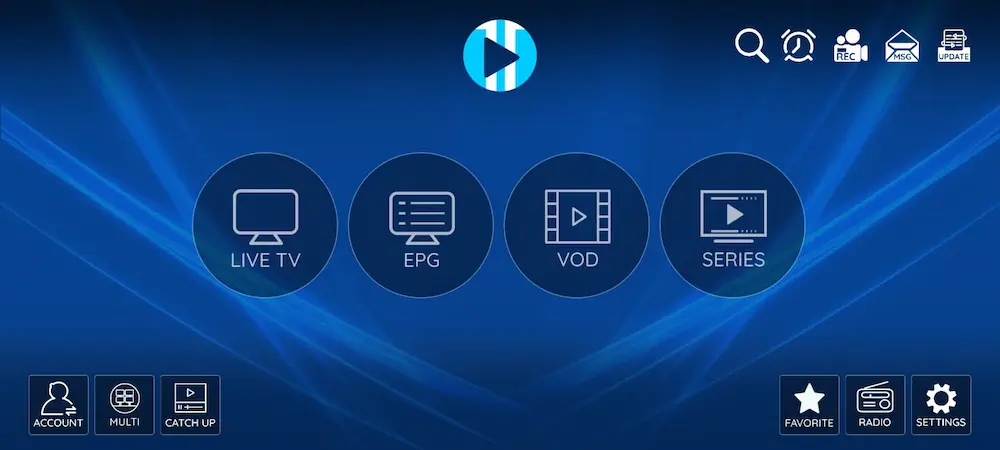
XCIPTV Player dashboard displayed on Smart TV
Looking for another solid IPTV app for your Smart TV or Android TV box? XCIPTV Player is a clean, fast player that works great with our IPTV service. It’s designed for remote control use, supports live TV, movies, and series, and lets you manage your playlists from a simple web portal. In this quick guide, you’ll learn how to install XCIPTV Player on your TV and connect it to your IPTV subscription in just a few minutes.

Why Use XCIPTV Player?

XCIPTV Player has become a popular choice among IPTV users thanks to its smooth performance and TV-friendly interface. Key benefits include:
  • Easy navigation with a TV remote
  • Support for live channels, movies, and TV series
  • EPG (TV guide) support when available
  • Stable performance on most Android and Smart TV devices

Step 1: Download XCIPTV Player on Your Smart TV

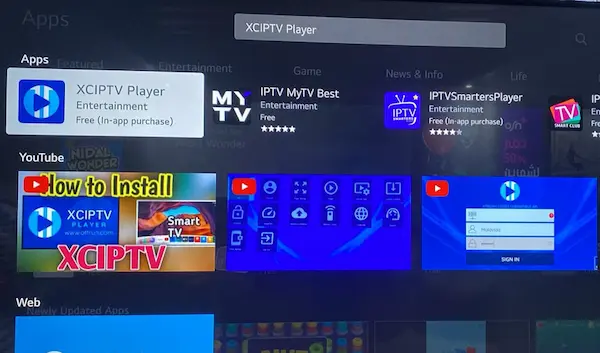
Searching for XCIPTV Player in the Smart TV app store
  1. Open the App Store on your Smart TV (Google Play Store on Android TV).
  2. Search for XCIPTV Player.
  3. Select the app and click Install.
  4. Once installed, open the app.
Note: XCIPTV Player may display “In-app purchases,” which is normal for IPTV players.

Step 2: Launch XCIPTV Player

XCIPTV Player loading screen on Smart TV When you open the app for the first time, XCIPTV Player will load its interface. After a few seconds, it will prepare the activation screen needed to connect your IPTV service.
Step 3: Get Your Device Details (MAC Address & Device Key)

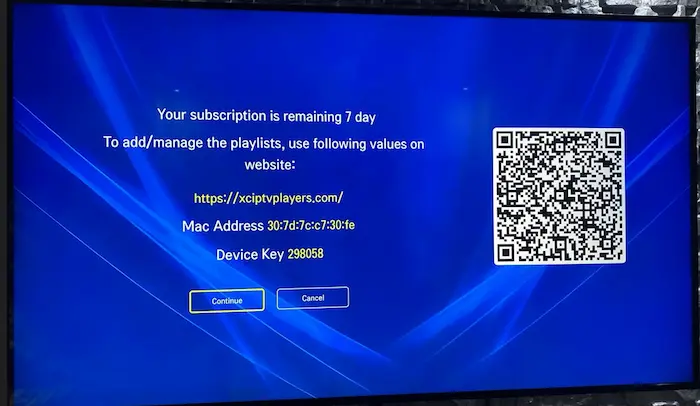
XCIPTV Player screen showing MAC address and device key for activation On this screen, you will see:
  • MAC Address
  • Device Key
  • A website link to manage playlists
Do not close this screen yet. These details are required to activate your subscription.

Step 4: Let RoxTV Handle Everything (Recommended)

This is the easiest and fastest option. Simply send the following details to RoxTV support:
  • Your MAC Address
  • Your Device Key
We’ll securely link your IPTV subscription to XCIPTV Player on our side.
  • No technical setup
  • No manual playlist entry
  • No risk of mistakes
Once we confirm activation:
  1. Restart XCIPTV Player on your TV
  2. Your channels will load automatically
If you’d like to explore other IPTV apps for Smart TVs, you can also check our step-by-step guide on how to install IBO Player on LG Smart TVs.

Need Help?

If you need help activating XCIPTV Player or setting final details, RoxTV is here to assist you. Just send us your device details and we’ll take care of the rest.
FAQs
What is XCIPTV Player?
XCIPTV Player is an IPTV player for Smart TVs and Android TV devices that lets you watch live TV, movies, and series using an IPTV subscription.
Is XCIPTV Player free?
XCIPTV Player can be downloaded for free, but some features may require activation or in-app purchases depending on your usage.
How do I add my IPTV subscription to XCIPTV Player?
Just send your MAC Address and Device Key to RoxTV and we’ll activate everything for you, no manual setup needed.
Does XCIPTV Player work on Smart TVs?
Yes. XCIPTV Player works on Android TVs and Smart TVs that support the Google Play Store.

Ready to unlock endless entertainment?

Get your RoxTV subscription today and start streaming!