
Last updated: July 25, 2026
The best IPTV apps for Android TV do more than open a playlist. A good player should make channels easy to find, display a readable program guide, respond well to a remote and recover cleanly when a stream or network connection changes.
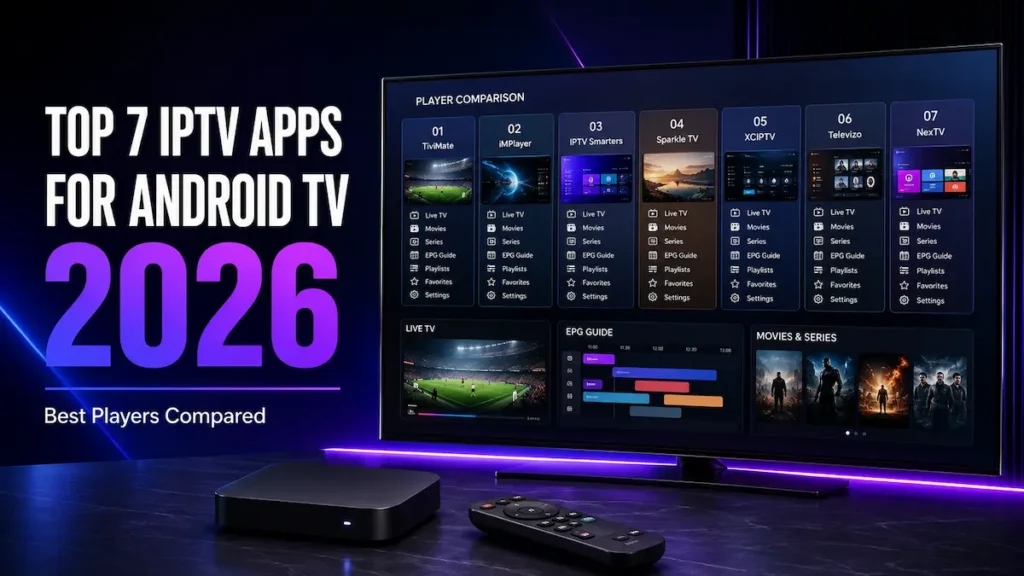
For most living-room setups, TiviMate is our best overall choice. iMPlayer is the strongest premium alternative for users who want extensive customization, IPTV Smarters is easier for beginners, Sparkle TV stands out for DVR and time-shifting, XCIPTV delivers a capable free feature set, Televizo works especially well on Android mobile devices, and NexTV offers the most modern movie-and-series browsing experience.
Quick answer
Choose TiviMate for the best overall TV guide, iMPlayer for a customizable premium alternative, IPTV Smarters for the simplest first setup, Sparkle TV for DVR, XCIPTV for a capable free player, Televizo for mobile viewing, or NexTV for a modern VOD-focused interface.
Important: these applications are media players. They do not include television channels, movies, series or an IPTV subscription. You must add a compatible playlist or login from a source you are authorized to use.
Editorial disclosure: RoxTV does not develop, own or officially represent any player in this comparison. No application paid for placement. Features, prices and store availability can change after publication.
If you still need compatible login details, review the Rox IPTV Canada subscription overview before choosing an app.
Quick navigation
| Rank and app | Best for | Playlist support | Strongest features | Main limitation |
|---|---|---|---|---|
| 1. TiviMate | Android TV and Google TV users who want a cable-style interface | M3U and Xtream Codes | EPG, recording, multiview, groups, favourites and deep customization | Many advanced tools require Premium; designed mainly for television screens |
| 2. iMPlayer | Android power users who want a polished TiviMate alternative | M3U and Xtream Codes | Customization, recording, catch-up, local timeshift, channel lock and backup | More setup and learning; advanced tools require Premium |
| 3. IPTV Smarters | Beginners and households using several device types | M3U and Xtream Codes | Straightforward login, live TV, VOD, series, parental controls and external-player options | Several similarly named apps exist, so users must verify the download source |
| 4. Sparkle TV | Viewers who prioritize DVR, timeshift and Android TV integration | M3U, Xtream Codes, XMLTV and other PVR sources | EPG, timeshift, scheduled recording, multiview and remote customization | Most advanced features require Sparkle TV Plus |
| 5. XCIPTV | Users who want a feature-rich free Android player | M3U and Xtream-compatible API | Two built-in playback engines, EPG, catch-up, reminders, favourites and DVR | The interface can feel busier than TiviMate or Televizo |
| 6. Televizo | Android phones, tablets and simple TV setups | Multiple playlists with EPG support | Search, favourites, catch-up, Chromecast, subtitles and multiple tracks | Less television-like than TiviMate; some conveniences require Premium |
| 7. NexTV | Movie and series viewers who want modern poster-led browsing | Xtream Codes and 1-Stream | Cloud sync, TMDB metadata, search, EPG, catch-up and multi-platform apps | Traditional live-TV guide is less central; full VOD use requires NexTV+ |
Our recommendation: start with the app that matches your main screen and viewing habits. TiviMate is the safest overall choice for an Android television or box, while iMPlayer is its strongest premium alternative. Compare TiviMate, iMPlayer and Sparkle if recording matters. Choose Televizo for mobile viewing or NexTV when movie-and-series discovery matters more than a traditional channel grid.
A long feature list does not automatically make an app useful. The player must fit the device, remote and login format used in your home. We reviewed current developer information, official app listings and independent Android-player comparisons.
The seven selections were evaluated using these practical criteria:
Hardware-specific apps were not included in the main ranking because they cannot be installed across ordinary Android televisions and boxes. Other players stayed outside the main seven when their device support, update history or practical advantages were less convincing for a general Android audience.
Player quality is only half of the setup
A polished player cannot repair expired credentials, missing channels or an unstable source. Before buying an app upgrade, test the RoxTV plans and confirm that the available channel selection matches what you actually watch.
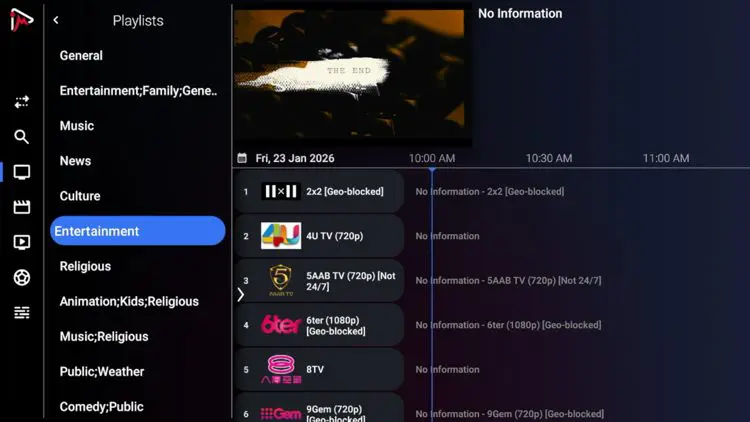
TiviMate earns the top position because its interface behaves like software designed for a television rather than a phone app stretched across a large screen. The channel list, program guide and remote shortcuts remain easy to use from a couch.
The player accepts M3U playlists and Xtream Codes details. Its feature set includes catch-up support, recording, multiview, parental controls and extensive guide customization. Availability of individual features can depend on both the TiviMate tier and the information supplied by your service.
Choose TiviMate when:
Consider another app when: you mainly watch on a phone, want the same interface across Android and Apple devices, or prefer not to manage premium activation.
If you are using an Apple TV instead of an Android TV device, check our guide to the best IPTV apps for Apple TV to compare the top players available for tvOS.
Follow the complete TiviMate installation guide for Android TV to add an Xtream or M3U playlist safely. You can also confirm current app information on the official TiviMate website.
iMPlayer is the closest match for viewers who like TiviMate’s television-first approach but want another polished, highly configurable Android player. It is designed for both large screens and mobile devices, and its current feature set goes well beyond basic playlist playback.
The app supports common playlist and account formats and emphasizes organization. Depending on the selected tier and source, its tools include recording, catch-up, local timeshift, channel locking, playlist management and local or cloud backup. Its active development is another reason it ranks ahead of less established alternatives.
Choose iMPlayer when:
Consider another app when: you want the simplest first login or do not plan to use paid features. iMPlayer is powerful, but its number of settings can require more learning than IPTV Smarters. Test the free version on your actual device before choosing a premium plan.
Confirm current plans and device support on the official iMPlayer website, and verify the developer through the official Google Play listing.
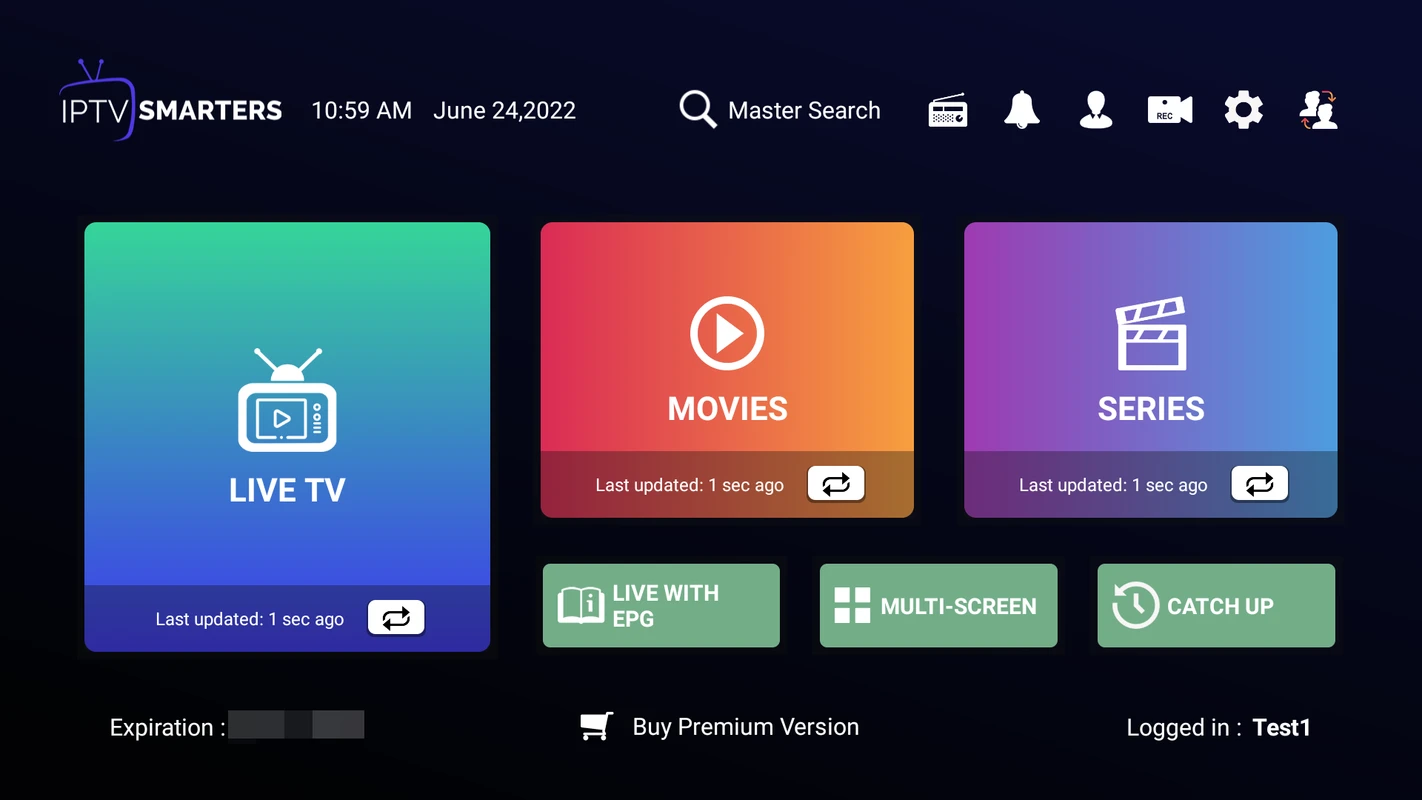
IPTV Smarters remains popular because its login process is easy to understand. Live television, movies and series are separated into clear sections, and most new users can recognize the required Xtream fields without learning advanced playlist settings.
It is also practical for households using several types of screens. The Smarters interface is available across more platforms than most Android-first players. That makes support easier when one person uses a television and another uses a phone or computer.
Choose IPTV Smarters when:
Watch out for similarly named apps. Search results can contain clones or unrelated products using “Smarters” in the title. Verify the developer and follow a trusted installation path instead of downloading a random APK.
RoxTV’s IPTV Smarters Pro installation guide explains the Android and Fire TV workflow, including Xtream Codes setup.
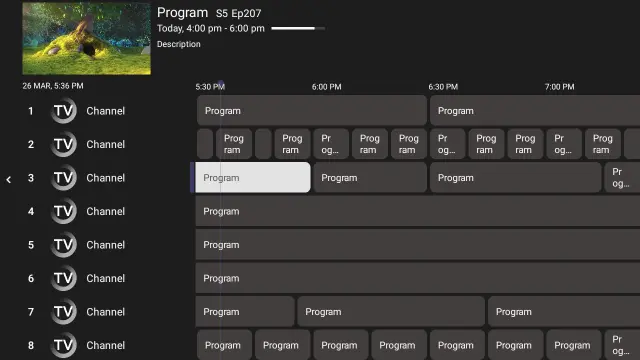
Sparkle TV is the most specialized choice in this group. It is a DVR/PVR player built for Android TV, Google TV and Fire TV. Beyond M3U and Xtream Codes, it can work with XMLTV guide data and several home-media or tuner sources.
Its strongest tools include pause-live-TV timeshift, scheduled DVR, multiview, audio and subtitle selection, automatic frame-rate handling and remote customization. Many of these tools require Sparkle TV Plus, so the free version should be treated as a compatibility test.
Choose Sparkle TV when:
Before paying: test a short recording, play it back and confirm that your device has enough storage. Recording can also require an additional simultaneous connection when the app records one stream while another plays.
Review current features on the official Sparkle TV website or its Google Play listing.
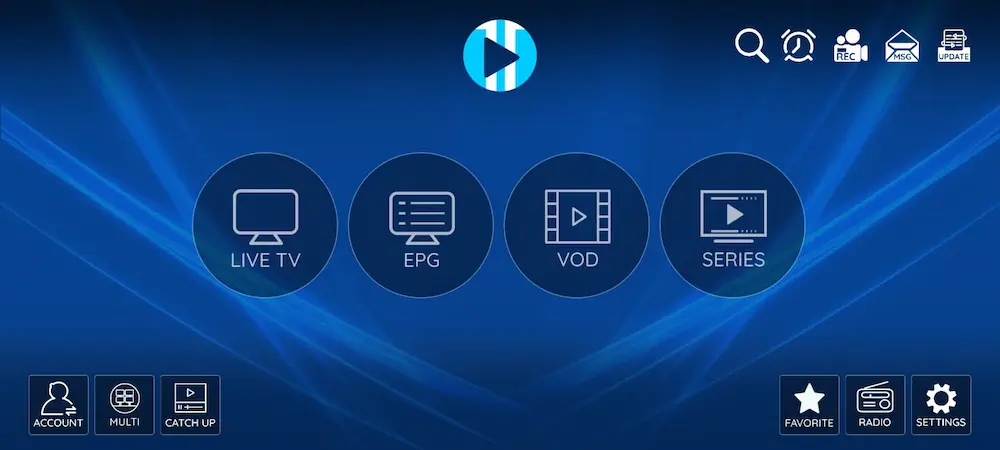
XCIPTV is a strong choice for users who want more than a basic playlist viewer without immediately purchasing a premium licence. The official Android listing supports phones, tablets and televisions, with navigation designed for an Android TV remote and D-pad.
The app includes ExoPlayer and VLC-based playback engines, EPG support, catch-up, favourites, reminders, backup and restore, plus scheduled recording to compatible storage. This broad toolset makes XCIPTV useful when one playback engine handles a difficult stream better than another.
Choose XCIPTV when:
Consider another app when: you want a minimal interface or deep guide customization. XCIPTV exposes many functions, which can make the first screen feel busier.
Use the RoxTV guide to install and configure XCIPTV Player, or verify the current developer and update date on the official Google Play listing.
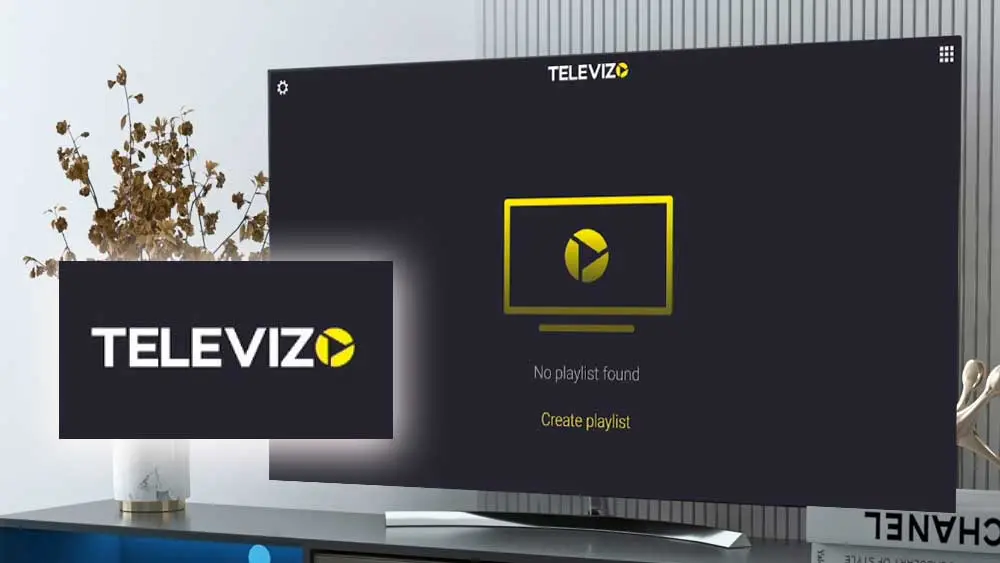
Televizo is the most flexible option when Android means more than a living-room television. The same player works on phones, tablets and compatible TV devices. Its interface is direct, and playlist import does not bury essential controls under several dashboards.
The official listing includes multiple playlists, EPG, catch-up, Chromecast, search, favourites, parental controls and selection of video, audio and subtitle tracks. This combination makes Televizo a convenient travel or second-screen player.
Choose Televizo when:
Consider another app when: your only screen is an Android television and you want a traditional cable guide. TiviMate and iMPlayer provide more television-first customization, while Sparkle offers stronger DVR tools.
Check current availability and features on the official Televizo Google Play listing.
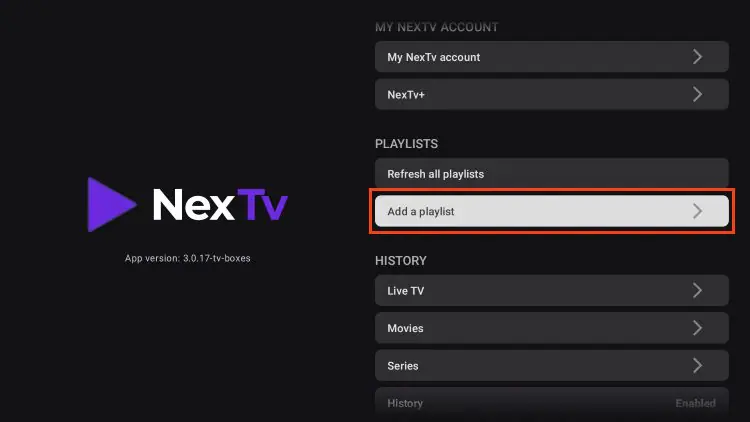
NexTV takes a different approach from players built mainly around a traditional channel grid. Its modern interface emphasizes visual discovery for movies and series while still supporting live television, guide data and catch-up when those features are present in the playlist.
The official app supports Android and Android TV alongside other major platforms. Its feature list includes multiple playlists, fast search, favourites and groups, cloud synchronization, TMDB metadata, EPG, catch-up and ExoPlayer or MPV playback. This makes it attractive for households that want a consistent, poster-led interface across different screens.
Choose NexTV when:
Consider another app when: a classic live-TV grid is your highest priority or you want every feature free. NexTV supports EPG and catch-up, but TiviMate and iMPlayer are stronger starting points for a traditional television workflow. Full-length VOD use can also require NexTV+, so check current terms before subscribing.
Review supported devices, playlist formats and current premium options on the official NexTV website.
| Your priority | Start with | Why |
|---|---|---|
| Best overall Android TV experience | TiviMate | Remote-friendly guide, organization and mature TV controls |
| Premium alternative and customization | iMPlayer | Advanced organization, recording, timeshift and backup tools |
| Easiest first installation | IPTV Smarters | Clear login fields and familiar live TV, movie and series sections |
| DVR and pause live TV | Sparkle TV | Purpose-built recording, timeshift and PVR integrations |
| Most capable free option | XCIPTV | Built-in players, EPG, catch-up, reminders and recording |
| Phone, tablet and Chromecast use | Televizo | Touch-friendly navigation and flexible Android device support |
| Modern movie and series browsing | NexTV | Poster-led discovery, metadata, cloud sync and multi-platform support |
If you already own a recent Android television, try its built-in Play Store before buying another box. When the television is slow, short on storage or missing the app you want, the Rox IPTV box guide explains when an external Android box is worth adding.
The exact button names differ between applications, but every normal setup follows the same decision: choose the login method that matches the information supplied with your subscription.
Android TV and Google TV are designed for a large screen and remote. Standard Android runs on phones and tablets. An app can appear in Google Play on one device but remain unavailable on another because the developer has not optimized it for that screen.
| Information you received | Choose in the app | What you enter |
|---|---|---|
| Server or portal URL, username and password | Xtream Codes or Xtream API | A playlist name, server URL, username and password in separate fields |
| One long playlist address | M3U or M3U8 playlist | A playlist name and the complete URL, plus a separate EPG URL when supplied |
| Portal address and registered MAC address | Stalker Portal or MAC login | Use only an app and account that explicitly support portal authentication |
Xtream Codes is usually easier to type and troubleshoot because every value has its own field. M3U is useful when you receive one complete link. Read what an M3U playlist is before editing or shortening a playlist address.
Avoid websites offering “modded,” “cracked” or pre-activated APK files. They can be outdated, altered or designed to capture the credentials embedded in a playlist.
Do not post a screenshot containing a username, password or complete M3U URL. A playlist link often includes account credentials inside the address.
Opening one channel is not enough. Before purchasing an app upgrade or a longer service plan, check:
A RoxTV trial can help you evaluate the complete routine before committing. Ask RoxTV support which login format is best for your Android device and confirm the connection allowance first.
Switching apps should be a controlled test, not the first reaction to every freeze. Determine whether the failure follows the channel, account, app, device or home network.
| Symptom | Most useful first test | Likely area |
|---|---|---|
| Login fails in every app | Verify the account status and copy each credential again | Account, server URL or typing error |
| One app fails but another works | Refresh the playlist, clear the app cache and compare the stream format | Player configuration or app compatibility |
| Channels play but the EPG is blank | Refresh the guide and verify the EPG source and time offset | Guide source, mapping or app EPG settings |
| Live TV freezes but menus remain fast | Test Ethernet or 5 GHz Wi-Fi, then compare another channel | Network path, stream source or decoder |
| The app crashes while importing | Free storage, restart the device and hide unnecessary categories if possible | Low memory, storage pressure or an oversized playlist |
| Works on a phone but not the television | Stop playback on the phone and re-enter the television login | Connection limit, TV typing error or different network route |
On most Android TV devices, open Settings → Apps → See all apps → [player name] → Clear cache. Restart the device and refresh the playlist. Clearing cache removes temporary files; clearing app data usually removes saved accounts and settings.
Follow the full guide to clear an IPTV app cache safely before deleting your configuration.
If several players freeze on the same channel, changing the interface will not solve the source problem. Test another channel, another device and another network. The RoxTV IPTV buffering guide explains how to separate Wi-Fi congestion, device limits, ISP routing and provider-side issues.
A VPN is not required to install an IPTV player. It may change network routing, but it cannot correct invalid credentials, an expired account or missing content. Read when a VPN test is useful for IPTV before treating it as a universal fix.
IPTV player software is not the same thing as an IPTV service. A player organizes and displays streams supplied by the user. Whether a particular stream is authorized depends on its source and the rights attached to it.
RoxTV is not affiliated with TiviMate, iMPlayer, IPTV Smarters, XCIPTV, Sparkle TV, Televizo or NexTV. Product names belong to their respective owners.
TiviMate is the best overall choice for most Android TV and Google TV users because it provides a polished guide, remote-friendly navigation and strong playlist organization. iMPlayer is the strongest premium alternative for viewers who want another highly customizable television interface. The ideal player still depends on whether you prioritize simplicity, recording, mobile use, VOD discovery or a free tier.
XCIPTV is our preferred feature-rich free option for Android televisions, phones and tablets. IPTV Smarters is also approachable for beginners. Free versions can include ads or restrict advanced features, so compare the current app-store description before installing.
TiviMate is usually better for a television-first setup because its guide and remote controls feel more like cable. IPTV Smarters is easier for a first-time user and works across more device types. Both can use compatible Xtream Codes or M3U details.
Both are strong Android TV players. TiviMate has the more familiar cable-style guide and is our best overall recommendation. iMPlayer is the better alternative when its customization, playlist management, backup and timeshift tools fit your setup. Test each app on the same device because remote feel and playback compatibility matter more than a feature checklist.
Yes. NexTV supports live television, EPG and catch-up with compatible sources. Its biggest advantage is its modern movie-and-series interface, however. Choose TiviMate or iMPlayer first when a traditional live-TV guide is the centre of your viewing routine.
Televizo is a strong Android mobile choice because it supports multiple playlists, EPG, search, favourites, catch-up, Chromecast and selectable audio or subtitle tracks. IPTV Smarters and XCIPTV are useful alternatives when you want the same app on a television.
No. The players in this guide do not supply channels or subscriptions. You need a compatible, authorized source using Xtream Codes, M3U or another format supported by the chosen app.
Neither format is automatically better. Xtream Codes is easier to enter and troubleshoot because the server, username and password use separate fields. M3U is appropriate when your provider sends one complete playlist URL.
You can normally test compatible credentials in different players, but do not play them simultaneously unless the subscription allows multiple concurrent connections. Exceeding the limit may stop playback or temporarily block a session.
Apps import and map guide data differently. Refresh the EPG, check the time offset and verify whether the playlist supplies guide information automatically or requires a separate XMLTV URL.
It can help when the problem is a decoder, buffer or player configuration. It will not fix an unstable internet connection, an overloaded source, expired credentials or a connection-limit error. Compare two apps using the same channel before deciding.
Not when the intended app is available in Google Play for your device. Sideloading should be reserved for a verified APK from the official developer. Avoid third-party download pages offering modified versions.
The seven best Android IPTV players in this comparison serve different types of viewers. The right choice is not the app with the longest feature list; it is the one that works with your login format, responds well on your device and makes the content you use every day easy to find.
Choose TiviMate for the best overall television experience, iMPlayer for a customizable premium alternative, IPTV Smarters for a beginner-friendly setup, Sparkle TV for recording and timeshift, XCIPTV for a capable free toolset, Televizo for phone and tablet viewing, or NexTV for modern movie-and-series discovery.
Tell RoxTV which Android device you use. We can confirm the compatible login format, help you choose between Xtream and M3U, and explain the connection limit before you begin.