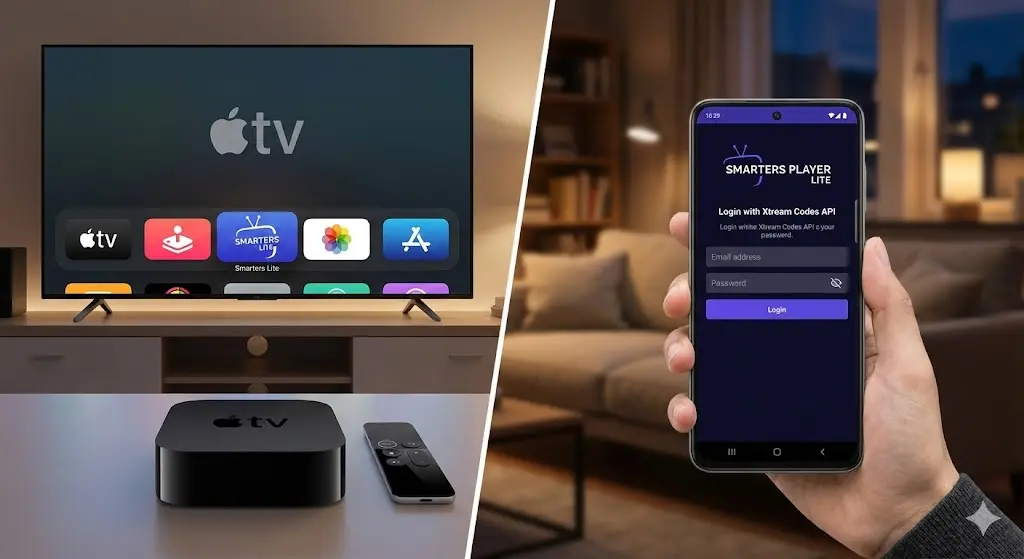
Smarters Player Lite is one of the easiest apps to use for watching live TV, sports, and movies on Apple and Android devices. It installs in less than a minute, and once you log in with your IPTV subscription details, everything loads automatically—channels, movies, series, and the TV guide.
This guide shows exactly how to install Smarters Player Lite on officially supported devices and set it up properly so you avoid common issues like login errors, empty EPG, or buffering.
Key Takeaways
- Smarters Player Lite installs in under one minute from the App Store or Google Play Store.
- It works on Apple TV, iPhone, iPad, Android phones, and Android TV.
- Login using Xtream Codes API to load live TV, movies, series, and the TV guide instantly.
- If the TV guide is empty, simply use the Refresh EPG option in settings.
- Switching between MPEGTS and HLS can help reduce buffering.
- Streaming quality depends on using a reliable IPTV provider.
Supported Devices
This app is officially supported on the following platforms:
- Apple TV (tvOS)
- iPhone & iPad (iOS)
- Android Phones & Tablets
- Android TV & Google TV (NVIDIA Shield, Chromecast, Sony TV, etc.)
If you’re using Apple TV, this is one of the best apps available. You can also see our full comparison of the Best IPTV Apps for Apple TV to understand which player performs best depending on your setup.
Why Choose Smarters Player Lite? (Key Features)
Before installing, it helps to know why this specific player is the top choice for millions of users. It offers premium features for free:
- Master Search: Find any movie, TV show, or live channel instantly without scrolling through categories.
- Parental Control: Lock specific categories or channels with a PIN code to keep your family safe.
- Multi-Screen Support: Watch up to 4 different channels at the same time on a single screen (requires a compatible subscription).
- Support for External Players: If a specific movie won’t play, you can switch to VLC or MX Player directly inside the app.
- Automated EPG: The Electronic Program Guide updates automatically, so you always know what’s playing.
1. Install Smarters Player Lite on Apple TV
Apple TV provides the smoothest experience, and installation takes less than one minute.
Step 1: Download the app
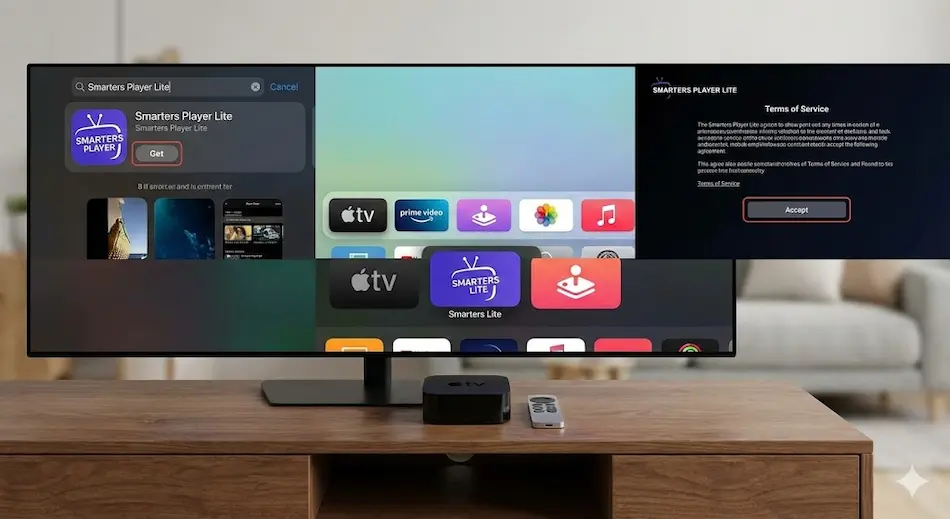
- Turn on your Apple TV and open the blue App Store icon.
- Go to the Search tab and type:
Smarters Player Lite - Select the app from the results and click Install (or “Get”).
- Once installed, the app will appear on your home screen.
Step 2: Open the app
When you open Smarters Player Lite for the first time, you may see a Terms of Service screen. Click Accept to continue. You will then see the login options screen.
2. Install on iPhone or iPad
The setup process on iPhone and iPad is identical to Apple TV.
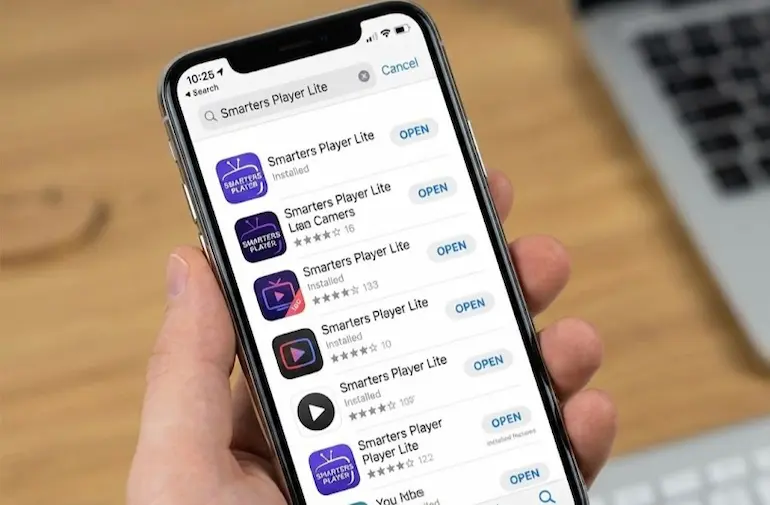
- Open the App Store on your device.
- Search for:
Smarters Player Lite - Tap Install, then open the app.
Because iOS devices are optimized for this code, navigation is fast and stable.
3. Install on Android Phone, Tablet, or TV
On Android devices (including NVIDIA Shield and Chromecast with Google TV), installation is done directly through the Google Play Store.
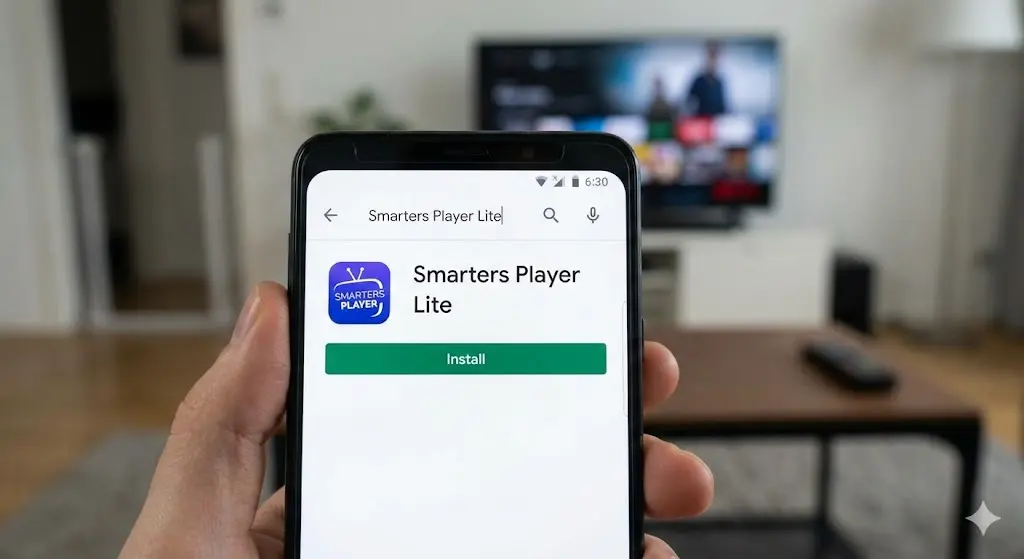
- Open the Google Play Store.
- Search for:
Smarters Player Lite - Tap Install and open the app.
The interface and login process are exactly the same as on Apple devices, making it easy to switch between your TV and phone.
4. Login and Setup (The Most Important Step)
This is the only step that actually matters. Once done correctly, everything loads automatically.
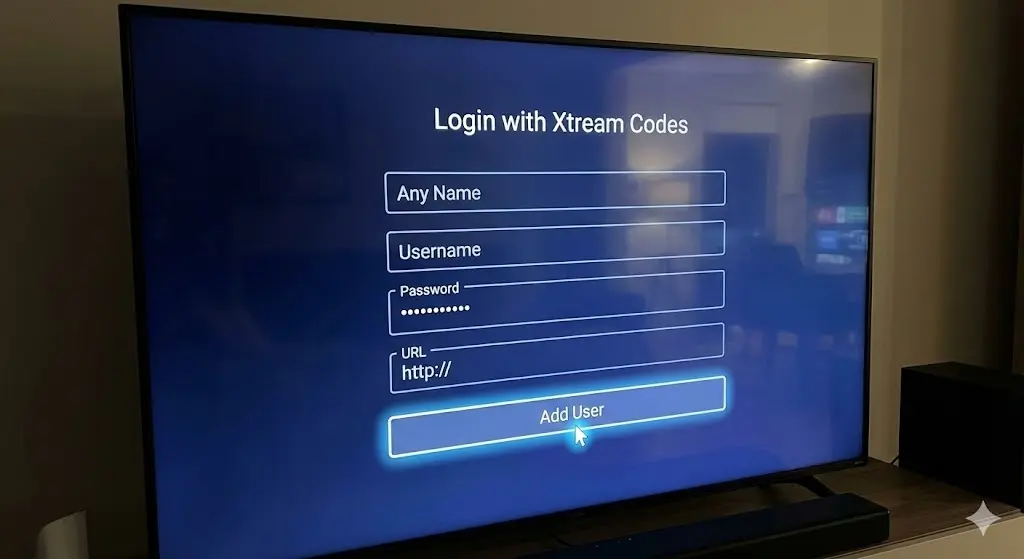
- When you open the app, select: Login with Xtream Codes API.
- Note: Do not select “Load Playlist or File/URL”. Xtream Codes is faster and more reliable.
- You will see four fields. These details are unique to your subscription and are sent to you by email when you sign up.
- Any Name: Enter any name you like (e.g., “Living Room TV”).
- Username: Enter the username provided in your confirmation email.
- Password: Enter the password provided in your confirmation email (Case sensitive).
- URL: Enter the server URL provided in your confirmation email (It usually starts with http://).
- Click Add User.
The app will take a few seconds to download Live TV channels, Movies, Series, and the TV Guide (EPG). If you do not have these login details yet, you need to subscribe to an IPTV provider first.
Troubleshooting & Best Settings
Refresh EPG if the TV Guide is Empty
Sometimes channels load, but the TV guide appears empty. This is normal and easy to fix.
- Open the app Settings.
- Select Refresh EPG.
- Wait about 10–20 seconds, then restart the app.
Best Settings to Prevent Buffering
Smarters Player Lite works well by default, but adjusting one setting can improve stability on some networks.
- Open Settings and find Stream Format.
- Switch between MPEGTS and HLS.
- Test both and keep the one that loads faster on your connection.
Fix “Login Failed” Error
If you see a “Login Failed” or “Authorization Failed” message, check these first:
- Typos: Make sure the URL is exactly correct (watch out for hidden spaces).
- Format: Ensure the server URL starts with
http:// or https://. - Credentials: Double-check that your username and password are correct (capital letters matter).
Final Verdict
Smarters Player Lite is widely used because it is fast, simple, and stable. Once logged in, everything is organized automatically, and the interface is clean and easy to navigate with a remote.
However, remember that this app is just a player. It is the engine, but it needs fuel to run.
Our Recommendation: To unlock the full potential of your device, we recommend pairing this app with a high-performance IPTV provider. This ensures instant channel loading, reliable EPG data, and true 4K resolution without buffering. Start your risk-free trial at RoxTV to experience the difference yourself.