
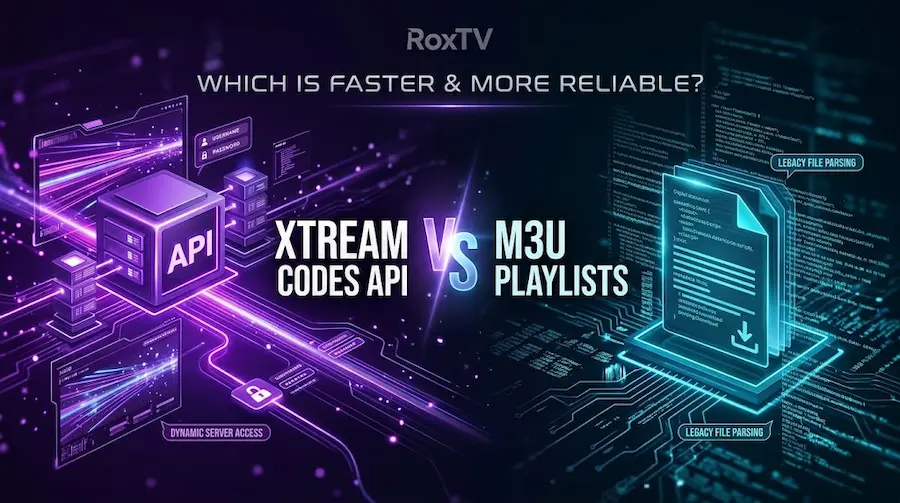
When you activate a Canadian IPTV subscription and open a player like TiviMate, UHF, or IPTV Smarters for the first time, the setup screen immediately asks you to choose a connection method: Xtream Codes API or an M3U Playlist URL.
Most providers tell you that both options do the exact same thing. On the surface, that looks true—both unlock the same live television channels, sports feeds, and on-demand libraries. Under the hood, however, choosing the wrong option is the #1 reason streaming apps freeze on startup, fail to load the Electronic Program Guide (EPG), or crash on Smart TVs.
In this hands-on engineering breakdown, we test both protocols against a real Canadian server payload (up to 47,000+ live channels and 190,000+ VOD titles) so you know the best way to connect IPTV on every device in your home.
Xtream Codes API
- ✅ 3-Field Login: Short Server URL, Username & Password (easy to type with a TV remote).
- ✅ 1.8-Second Startup: Queries the server database dynamically on demand.
- ✅ Auto-Synced EPG: Loads your TV guide automatically with zero extra XMLTV links.
- ✅ Native VOD Menus: Separates Live TV, Movies, and Series cleanly with IMDb posters.
M3U Playlist URL
- ⚠️ 120+ Character Link: Easy to mistype one letter or symbol on a television screen.
- ⚠️ Heavy RAM Usage: Downloads a 40 MB to 65 MB raw text file every time the app boots.
- ⚠️ Manual EPG Setup: Requires pasting a second XMLTV URL to populate your channel guide.
- ⚠️ Best Used For: VLC Media Player on PC/Mac or older non-API hardware boxes.
1. The Core Architectural Difference: Database API vs. Flat Text File
Back in 2016, the average IPTV playlist contained roughly 2,000 channels and almost no Video-on-Demand (VOD). An M3U playlist—which was originally invented in the late 1990s to queue MP3 songs in Winamp—could easily handle a small list of 2,000 links.
In 2026, a full-scale IPTV Canada subscription like RoxTV delivers 30,000+ live channels on Premium and up to 47,000+ live channels, 150,000+ movies, and 40,000+ series on Ultimate. That equals more than 237,000 individual stream records. How your device requests those 237,000 items determines whether your app feels lightning-fast or sluggish.
2. Under the Hood: What Your Streaming Device Actually Processes
Streaming sticks and Smart TVs typically have only 1.5 GB to 2 GB of system RAM. When you paste an M3U link into your player, the app is forced to download and parse nearly half a million lines of raw `#EXTINF` text strings every time it refreshes.
With Xtream Codes API, your app communicates with the server using lightweight JSON endpoints (`player_api.php`). It only downloads channel names, stream IDs, and EPG timestamps for the exact folder you are viewing:
GET /player_api.php?username=roxtv&action=get_live_categories
// 2. Clean Structured Response (14 KB)
{
"category_id": "104",
"category_name": "CA | Sports HD & 4K",
"epg_auto_sync": true
}
#EXTINF:-1 tvg-id="TSN1.ca" tvg-logo="https://..." group-title="CA Sports",TSN 1 4K
http://server-url:8080/live/user/pass/10492.ts
#EXTINF:-1 tvg-id="SN1.ca" tvg-logo="https://..." group-title="CA Sports",Sportsnet One
... [Repeats 237,000+ times in device RAM]
3. Real-World Hardware Benchmarks: Xtream Codes vs. M3U (2026 Tests)
To give Canadian cord-cutters real numbers rather than guesswork, we tested the exact same RoxTV Ultimate subscription across the three most popular streaming setups in Canada: an Amazon Firestick 4K Max running TiviMate, an Apple TV 4K running UHF, and an LG C-Series Smart TV running IPTV Smarters.
4. Side-by-Side Technical Comparison Table
Here is how every feature compares when connecting your subscription across your household devices:
| Comparison Metric | Xtream Codes API | M3U Playlist URL |
|---|---|---|
| Login Input Fields | 3 short fields: Server URL, Username, Password | 1 long URL string (100 to 150+ characters with symbols) |
| Remote Control Typing | Fast & frustration-free (takes under 45 seconds) | High risk of typos (`?`, `&`, `=`, `_`) using a TV remote |
| Faster EPG Loading | Automatic: Server pushes EPG channel IDs natively | Manual: Requires typing a separate XMLTV EPG URL |
| VOD Movies & Series | Sorted into dedicated tabs with cast info, ratings, and season folders | Often mixed into one giant list of channels unless the app parses tags |
| Catch-Up / Replay TV | Natively supported on eligible channels via API timestamps | Frequently fails or requires custom player parameters |
| Server Routing Updates | Auto-updates stream paths without breaking your login | Requires downloading a fresh M3U file if stream tokens change |
| Best Use Case | All Firestick, Android TV, Apple TV, iOS & Smart TV Apps | VLC Media Player on Windows/Mac or legacy Linux boxes |
5. Step-by-Step Xtream Codes Login Guide (By Device)
When you activate a RoxTV Premium or Ultimate plan or request a 24-hour free trial, your welcome email includes both your Xtream Codes API credentials and your backup M3U link.
Remember that you can install your Xtream Codes login across multiple devices in your home—such as your living room TV, basement Firestick, and iPhone—and switch between them anytime, as long as you stream on one active connection at a time. Here is how to connect on the top platforms:
🔥 Android TV, Google TV & Firestick
Open TiviMate, XCIPTV, or IPTV Smarters Pro. Select "Add Playlist" → "Xtream Codes". Enter your Server Address, Username, and Password, and ensure "Include VOD" is checked.
🍎 Apple TV 4K, iPhone & iPad
Apple devices perform best with hardware-accelerated players. Open the UHF App, IPTVX, or Smarters Player Lite, choose "Add via Xtream Codes API", and your EPG will populate in seconds.
📺 LG webOS & Samsung Smart TVs
Download IBO Player or IPTV Smarters Pro from your TV's app store. With IBO Player, you can paste your Xtream details right from your smartphone browser using your TV's Device ID and Key.
3 Pro Tips to Avoid Xtream Codes Login Errors
- Watch the `http://` Prefix: Always enter the Server URL exactly as provided (for example, `http://` vs `https://`), and never add an extra space after the final slash.
- Disable Auto-Capitalization on Your TV Keyboard: Android TV and Apple TV on-screen keyboards often capitalize the first letter of your Username or Password automatically. Credentials are 100% case-sensitive.
- Refresh Your Guide If Channels Say "No Information": If you switch devices and the TV guide looks blank, follow our 60-second tutorial on how to refresh EPG on Smarters or TiviMate.